Pick up where you left off
How Articlyst remembers how far you've read, and how to get back to an article from the app, the web, a widget or a Chrome new tab.
On this page
When you read in the app or the web reader, your scroll position is saved. Next time you open the article, you're back where you stopped. Reading articles also show how far through you are, as a percentage, in your list.
Pick up in the app
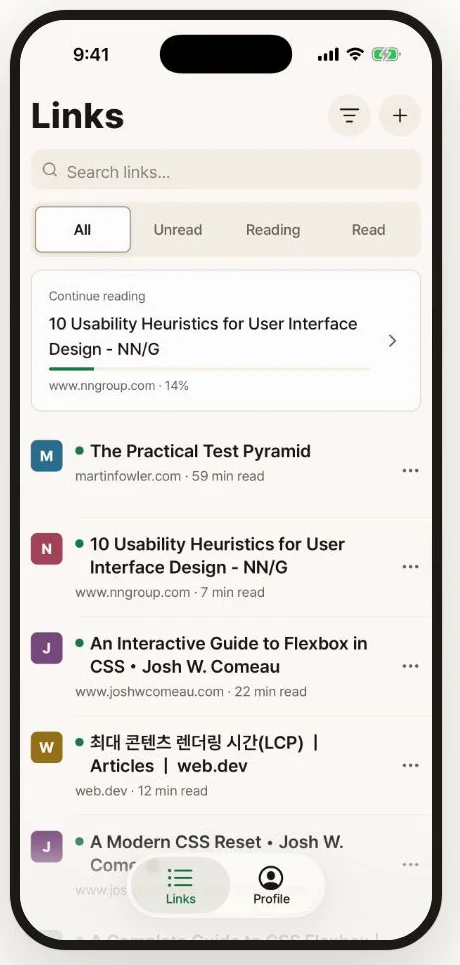
- Continue reading card: The article you were last reading appears as a card at the top of your links list. It shows an article you read in the last 24 hours and haven't finished (95% or less). Tap the card to open it where you left off.
- When you reopen the app: Even if you fully close the app, an article you read in the last 24 hours and got 5% to 95% through opens right at your spot when you come back.
- Progress: Articles with the Reading status show how far through you are in your list, if you've read them on this device.
Note
Progress saves automatically, and scrolling into an unread article moves it to Reading. It doesn't become Read on its own, so when you finish, set it yourself (Mark as read).
Home screen widget
Add the Articlyst widget (Continue reading on Android, 이어읽기 on iPhone) to your home screen to see the title and progress of the article you're reading. Tap it to open that article. If you're not in the middle of anything, it shows "Read what you saved".
- iPhone: Touch and hold the home screen, then tap Edit → Add Widget and find Articlyst. It comes in small, medium and Lock Screen sizes. For now the iPhone widget's labels are shown in Korean.
- Android: Touch and hold the home screen, open Widgets, and drag Articlyst's Continue reading widget onto the screen. You can resize it.
Pick up in Chrome
The Chrome extension also records how far you've scrolled when you read the original page of a saved article. It doesn't record articles you've already marked Read.
Choose Articlyst new tab under New tab in the extension settings, and a new tab shows a search box and what to read next:
- Continue reading: up to 5 articles you started and haven't finished, each with how far through you are. Articles you read to the end drop off.
- Recently saved: up to 5 unread articles you haven't opened yet, the most recently saved first.
When both lists are empty, the new tab is just the search box.
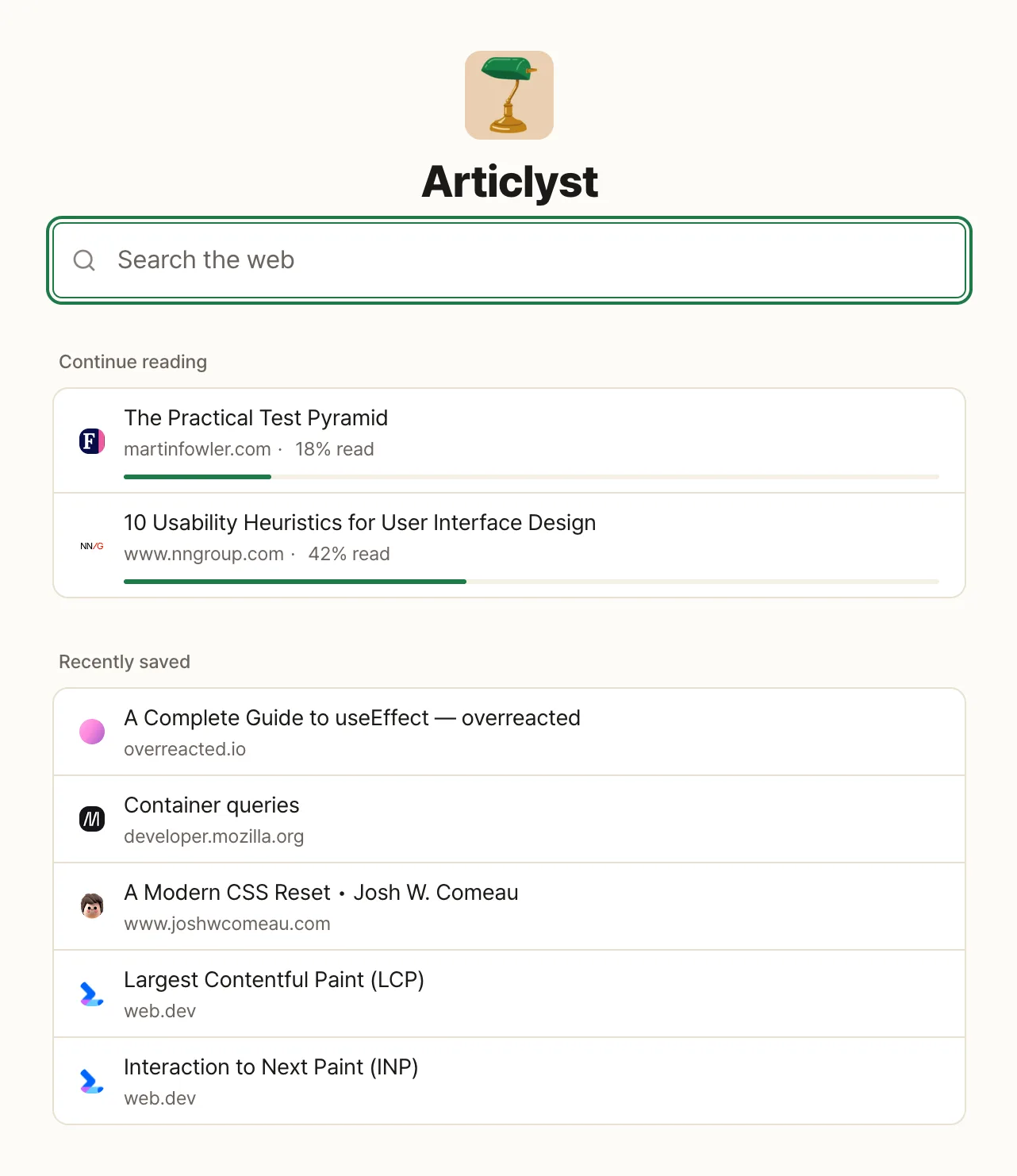
To open new tabs in the Articlyst web app instead, choose Articlyst web app in the same place.
On the web
Your list on the web also shows the percentage next to Reading articles. The reader on the web saves your scroll position too, so reopening an article takes you back to where you left off.
Something wrong with this page? Send feedback