Connect your reading list to AI tools
Let AI tools like Claude Code and Cursor search your Articlyst reading list and read articles over MCP.
On this page
Articlyst has an MCP (Model Context Protocol) server. Connect it to an AI tool and you can ask things like "Read the React articles I saved this week and turn them into notes." The AI searches what you saved, reads the article text and your notes, and, if you allow it, saves links or marks them as read.
You need an API token to connect. The same instructions are on the Settings → MCP connection screen on the web.
1. Issue an API token
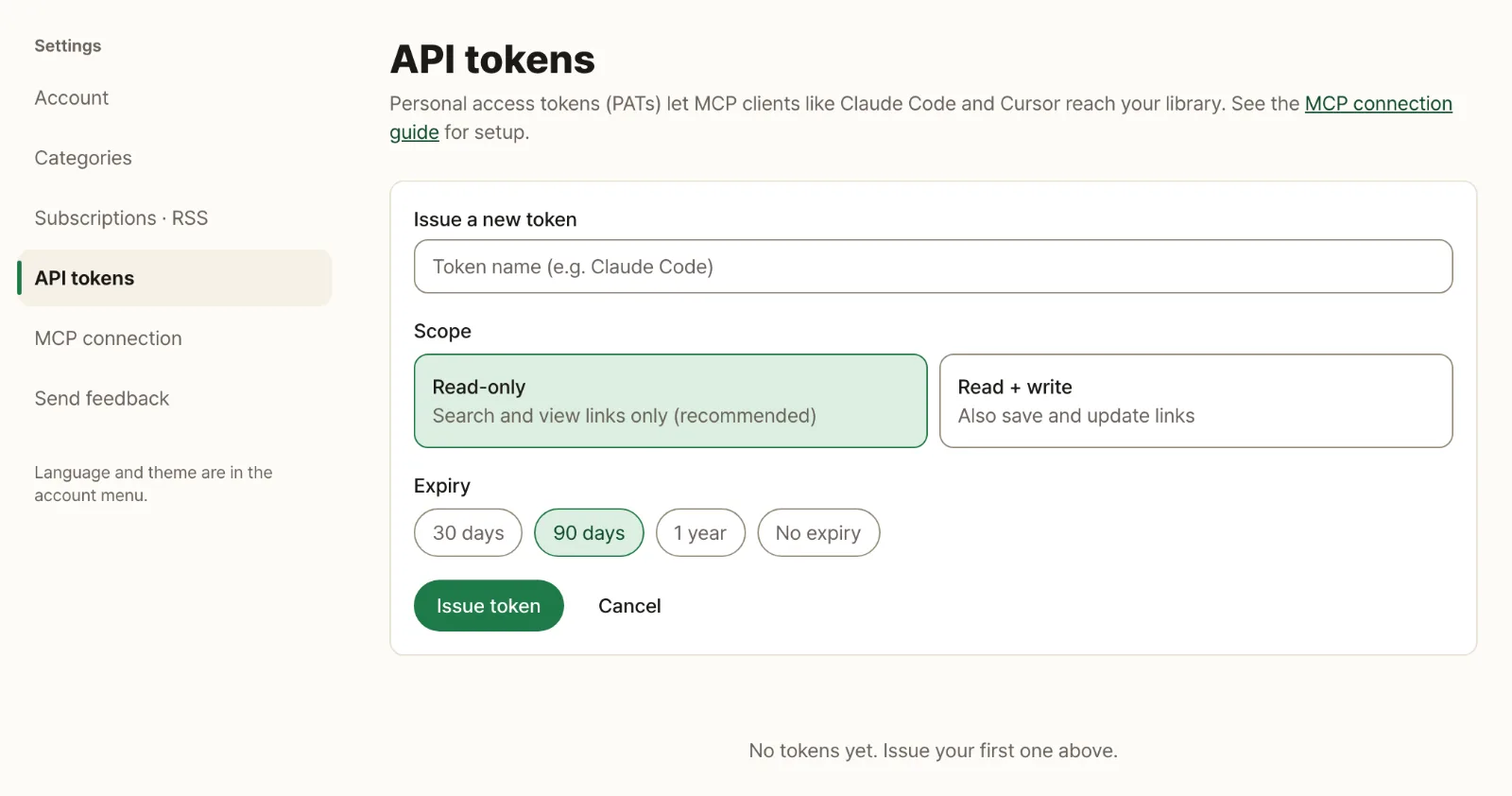
- On the web, go to Settings → API tokens and click Issue token.
- Enter a token name. Naming it after where you'll use it, like "Claude Code", makes it easy to tell apart later.
- Choose a Scope.
- Read-only: Search and read only. Pick this to start with.
- Read + write: Also saves links, updates reading status, tags and notes, and archives.
- Choose an Expiry: 30 days, 90 days (default), 1 year or No expiry.
- Click Issue token.
Warning
The token is shown only once, right after you issue it. Copy it before you close the window. If you lose it, issue a new one.
2. Connect your AI tool
Claude Code: Copy the Connect Claude Code directly command from the token window and run it in your terminal. The token is already in the command. It looks like this:
claude mcp add --transport http articlyst <API URL>/mcp \
  --header "Authorization: Bearer alyst_..."
Cursor and other tools that use mcp.json: Copy the mcp.json example from Settings → MCP connection into your tool's config file, and replace alyst_YOUR_TOKEN with the token you issued.
{
  "mcpServers": {
    "articlyst": {
      "url": "<API URL>/mcp",
      "headers": { "Authorization": "Bearer alyst_..." }
    }
  }
}
Don't type <API URL> yourself. Copy the value from the MCP connection screen as is.
3. Check that it's connected
Once connected, Articlyst tools appear in your AI tool: 6 with a read-only token, 8 with a read + write token.
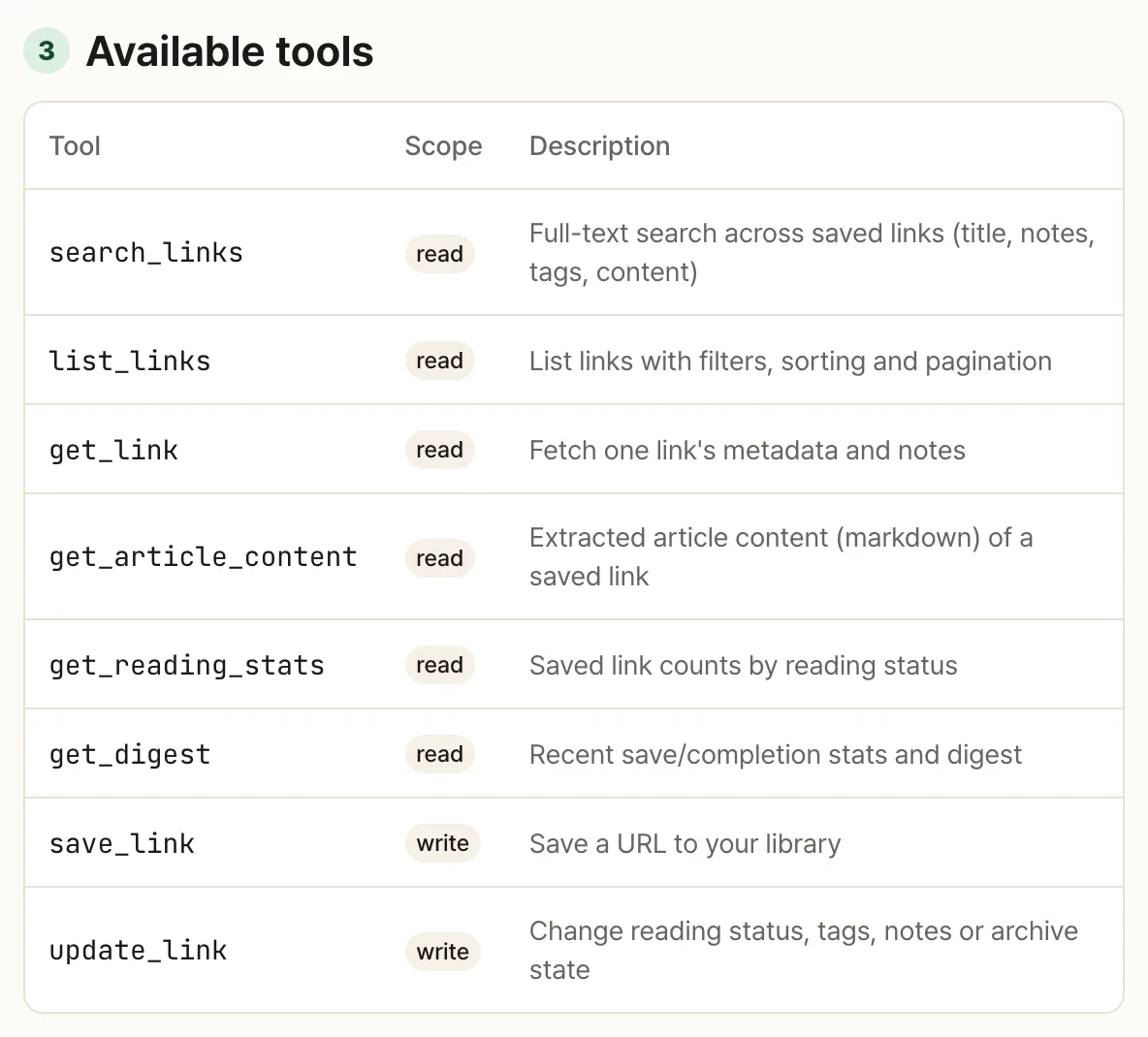
Try asking your AI tool something like "Show me 5 unread articles I saved in Articlyst."
Before you connect
- A token can only see articles in your own account.
- MCP can't delete links.
- Saved article text comes from web pages other people wrote, so Articlyst tells the AI not to follow instructions found inside it.
- Revoke tokens you no longer use. See Manage API tokens.
Something wrong with this page? Send feedback