Organize with categories
Create categories and move your saved articles into them.
On this page
Categories work like folders for your articles. Each article can be in one category, and articles that aren't in any category are in Inbox.
Create a category
You create categories on the web.
- In Settings, choose Categories.
- Enter a Category name and pick a color. There are 8 colors.
- Click Add.
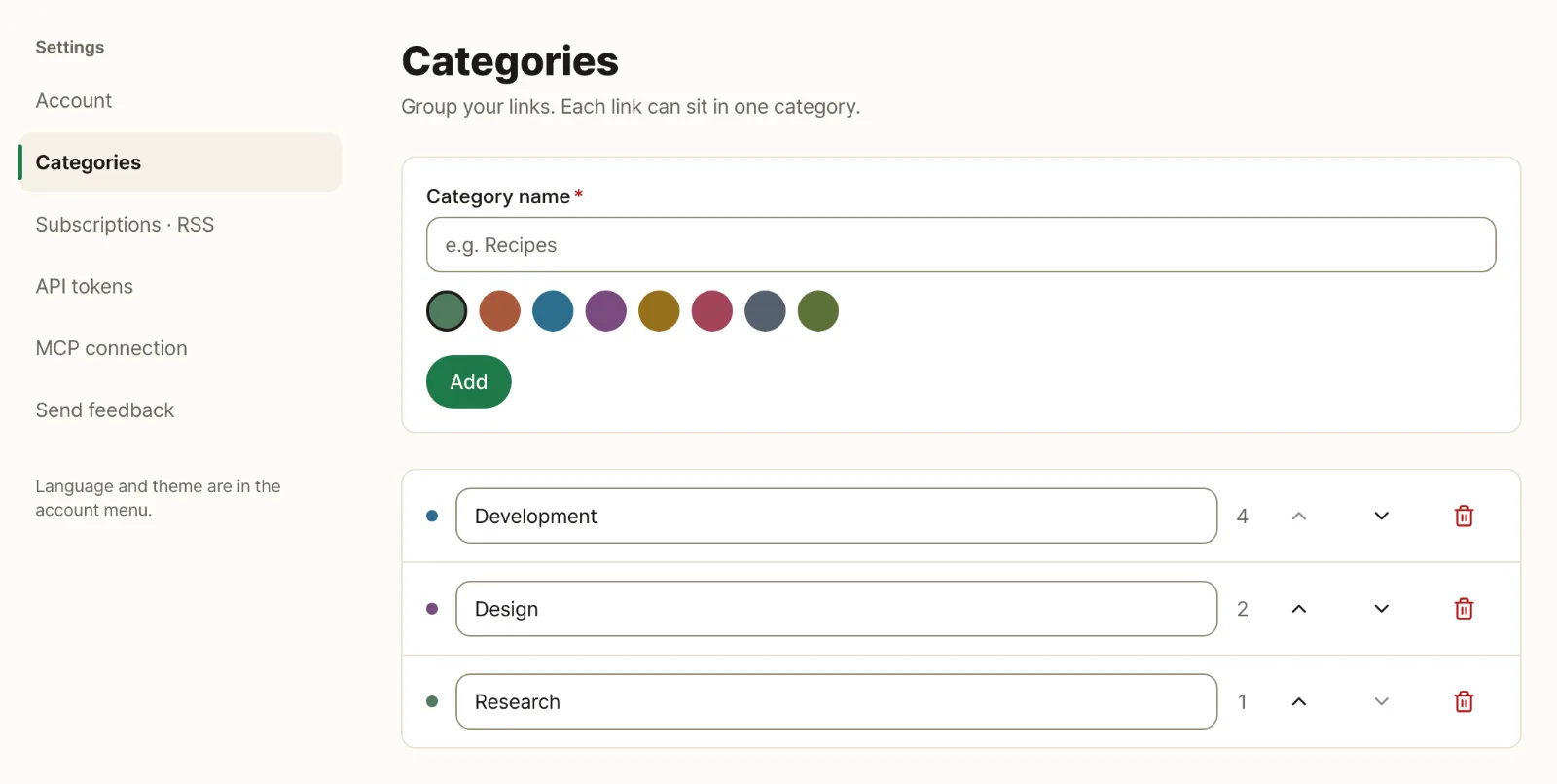
Edit a name right in the list and it saves when you click elsewhere. Click the circle to pick a different color, and use the up and down arrows to reorder. You can create up to 20 categories.
Deleting a category doesn't delete the articles in it. They go back to Inbox.
You can also create one while saving: in the Chrome extension, click + New category under Save to.
Move an article to a category
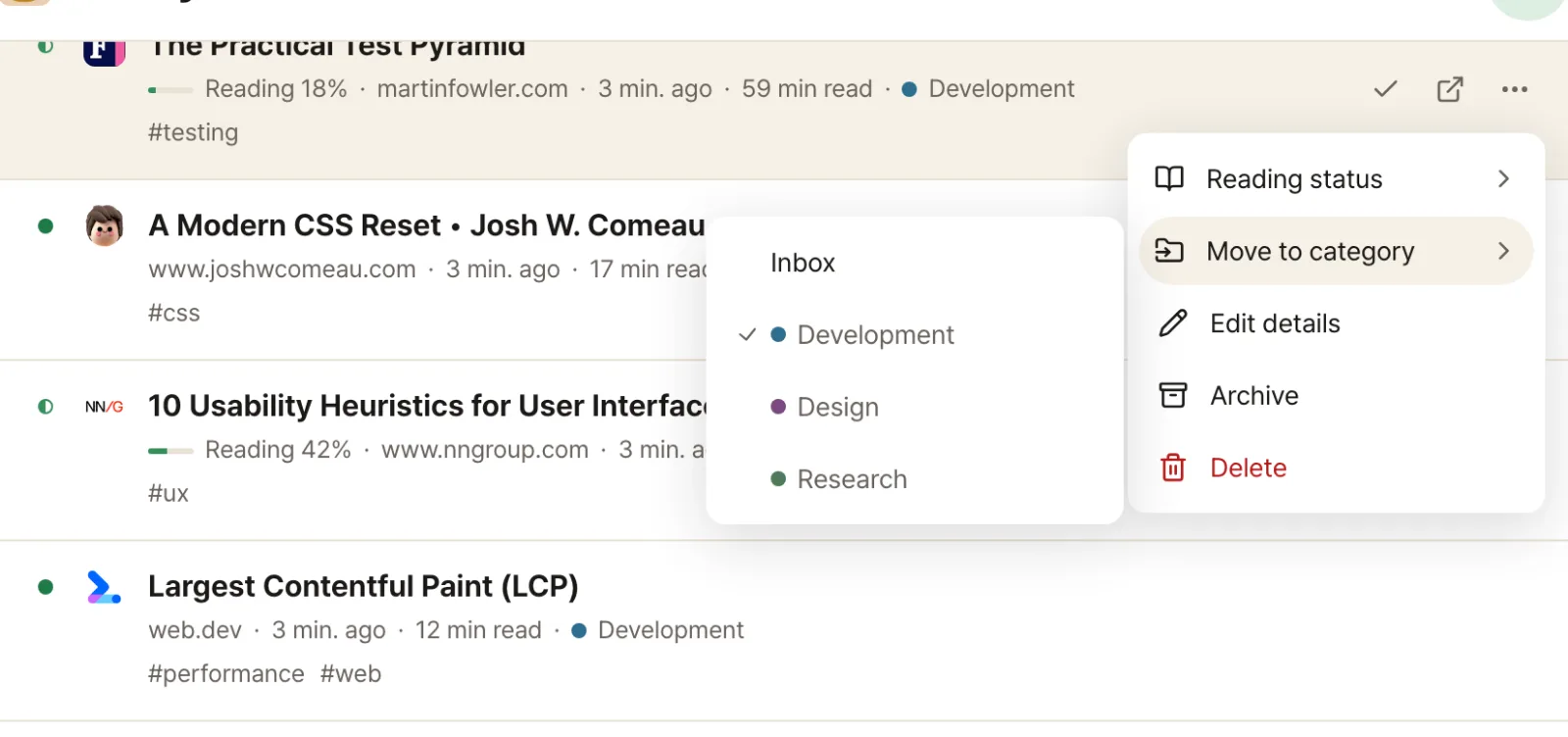
- In the list, click … to the right of the article.
- Under Move to category, pick a category. To take it out of a category, pick Inbox.
- In the list, touch and hold the article and choose Move to category.
- In the reader, tap the category button in the bottom toolbar.
If you haven't created any categories, the menu item is hidden and the reader's category button is greyed out. You can't create categories in the app, so create them on the web first.
Before saving, pick a category in Save to in the popup. When you save with the shortcut, the page goes into the category you picked last.
When you save from the iPhone share sheet, you can also pick one right away under Category.
To move many articles at once, see Move several articles at once.
Something wrong with this page? Send feedback