Archive and delete
Archive clears an article you rarely need from your list; delete removes it for good. Here's the difference and how to do each.
On this page
Archive clears an article from your list without deleting it. You can bring it back later from Archived. Delete removes the article along with its notes.
Archive
- Web: In the list, click the article's … → Archive. It's also in the … menu in the reader.
- App: In the list, tap the article's … → Archive. It's also in the … menu at the top right of the reader.
Archived articles are in the Archived tab on the web, and under the filter button → Archived in the app. To bring one back, use the article's … → Unarchive there.
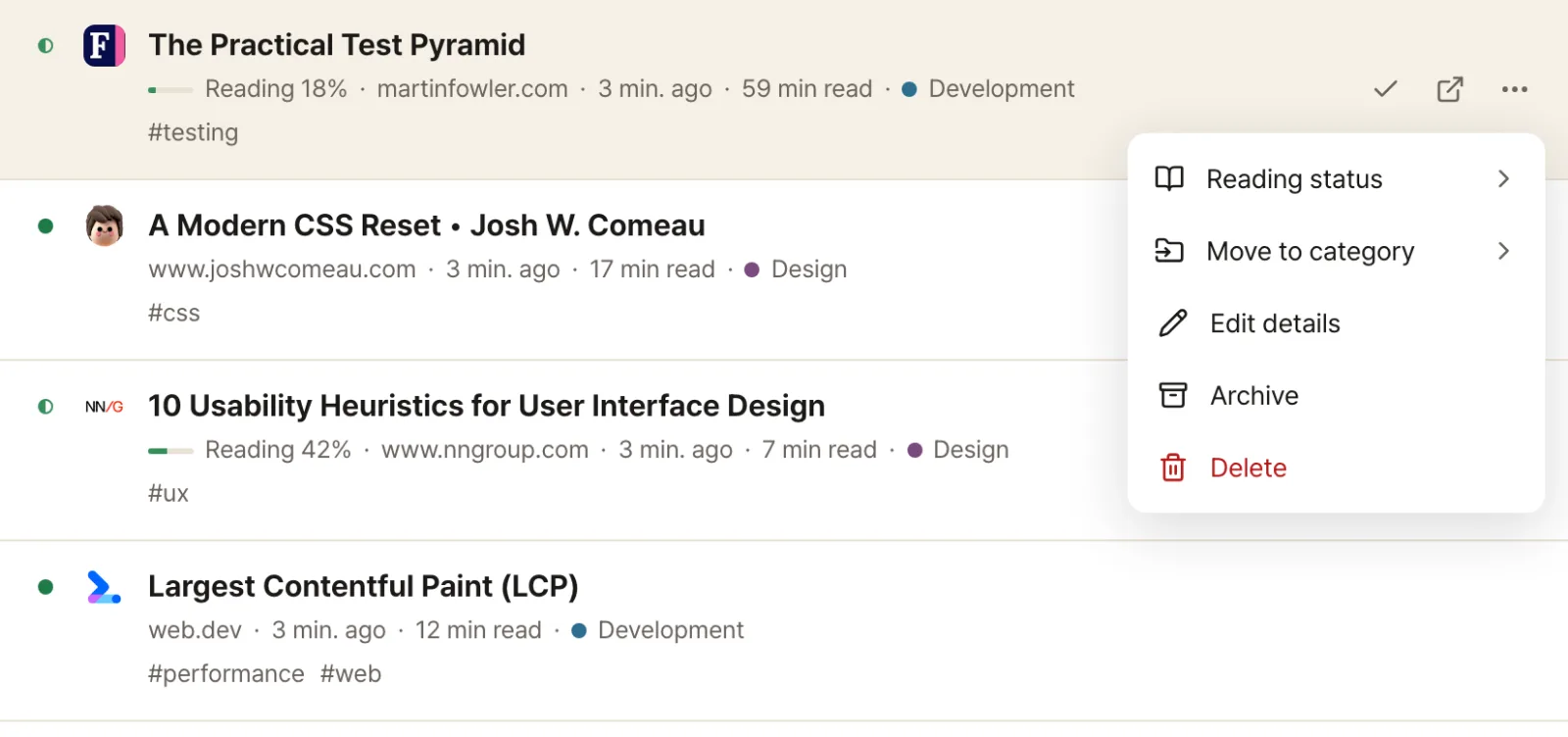
Delete
- In the list, click … → Delete. The article disappears right away, and Undo shows for 5 seconds.
- In the reader, … → Delete asks you to confirm. Deleting from there can't be undone.
- In the list, swipe the article to the left and tap Delete. Swipe all the way across and it's deleted as soon as you let go.
- Right after you delete from the list, Undo briefly appears at the bottom.
- You can also delete from the reader with … → Delete. Deleting from the reader can't be undone.
- In the list, swipe the article to the left and tap Delete. Swipe all the way across and it's deleted as soon as you let go.
- Right after you delete from the list, Undo briefly appears at the bottom.
- You can also delete from the reader with … → Delete. Deleting from the reader can't be undone.
Open the popup on a saved page and click … → Delete link. It asks you to confirm.
Something wrong with this page? Send feedback